

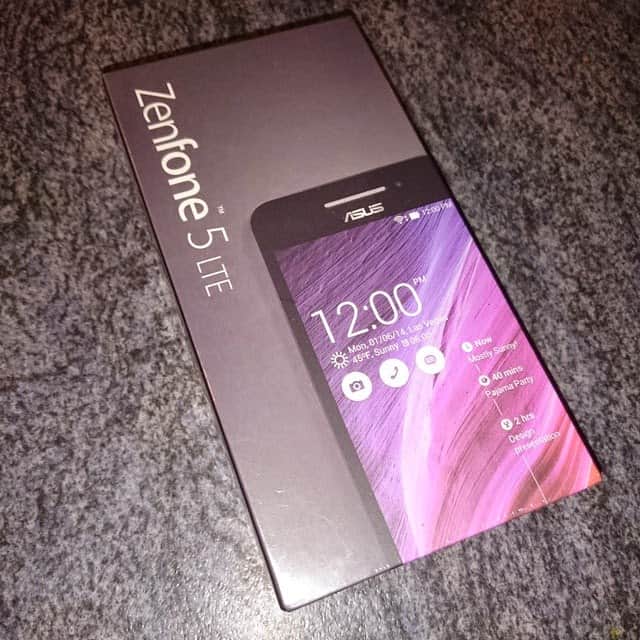
Last week we received a lovely Asus Zenfone 5 LTE to have a play around with, being used to an Android phone set up was very simple and a pain free process – that’s once I had managed to get my sim inserted, removing the back of this phone took effort (and a blunt knife) to get inside – however you actually only have to do that once so not a huge problem.
Setting up is pretty standard for an Android phone (my last 3 have been Android and very similar steps).
Initially you are greeted with a welcome screen, choose your language from the drop down menu, choose your internet connection – via network & wifi or wifi only then find your wifi network (enter you password) and your almost set to go.
You are then able to connect up to your existing accounts or create new ones, including Google accounts, Asus accounts etc – you can choose to link these to your social media accounts too such as Facebook, Twitter, LinkedIn etc.
Set the time and date and your set to go.
A few of the key features of this phone are:
- 4G LTE – This provides you with a much faster data speed than 3G
- GloveTouch – select this feature and you can use your phone while wearing gloves!! How awesome is that in this freezing weather. I’ve lost count of the times I’ve had to remove my gloves to answer my phone or to send a quick email while walking to school (that’s multi-tasking at it’s best) – and you DO NOT need special gloves for this feature, any gloves work!
- Corning Gorilla Glass 3 – Damage and scratch resistant – a new level of toughness. Now I’ve not tried this out yet however with kids around any extra protection has got to be a great thing.
This phone has a 5inch 720×1280 display which is crystal clear. There is an automatic brightness adjustment on this phone which is great as it reacts to the environment you are in without any added faffing around. The screen in clear and bright and easy to read – even in the sunlight.
The touch screen is very responsive and you don’t need to press hard at all, scrolling through screens just requires a light swipe and to unlock the screen you can swipe in any direction.
Sound quality is crystal clear with little to no interference or feedback.
You can add the apps you want and use most to the home screen for ease of use. The power button is on the right hand side as is the volume control. With 16GB worth of space on the Asus Zenfone 5 LTE, you can store music, images, videos as well as of plenty of other data without having to worry about taking up too much space.
I really like the fact you can hide apps or lock them with a pass word – this is rather handy if you let the kids play games on your phone, you can lock away the ones you don’t want them to touch so no more messages left on Facebook or pictures added to IG.
The battery life on this is pretty good with a standby time of 395 hours, obviously it depends on how much you are using this phone and what for – it doesn’t last as long as my Sony Z3 though.
The A500KL has two built-in cameras – the main camera is 8-Megapixel PixelMaster camera for professional-looking photos. This camera boasts a backside-illumination (BSI) sensor. The front camera is 2-Megapixels. The main camera has autofocus and LED flash for great looking photos.
I am loving the different camera options this phone has to offer including Selfie Mode and Low Light features.
I’ve been taking a closer look at the Selfie mode for this post and mainly I am impressed.
Using Selfie mode you use the main camera, you then select the number of faces your phone needs to detect 1-4.
Hold the phone in front of you and while you can’t see what is on the screen, the camera detects the correct positioning for you. If you select more than one face it will keep beeping until it has detected the faces on screen – when in the correct place it will beep to count down then take a photo for you. It actually then takes 3 photos in one burst and you are then able to choose the best of the 3 to save.
Editing of these photos also allows you to enhance facial features too – you can add a blush effect to your cheeks and also thin your cheeks giving a thinner look – who says the camera needs to add pounds!
This Selfie mode is good but it has it’s flaws too – it’s not great in low lighting and it seems to take a long time to detect anymore than one person – infact I’ve found on a few occasions than when I’ve chosen 2 faces it just won’t take a picture even when you are both in shot, on these occasions I’ve just had to cheat and tell it to detect one person.
 |



The great thing about the selfie mode is it is even easy for children to take their own decent photo’s – Emmy took the bottom shot herself with no difficulty at all.
Getting used to this phone was rather easy for me as I’ve always had Android phones, I don’t think it would replace my Sony Z3 if I’m honest but the camera options on this phone are a sure winner for me – maybe not so much the selfie mode but for anyone who follows me on social media will know I’m rarely in pictures as I hate photos of me so I wouldn’t use this mode much, the other camera modes are fantastic though – including an auto mode which autofocus’ your pictures and can give dslr quality photos without the effort – the phone will decide on the settings needed and the results are pretty good for a phone camera.
I’m personally loving the low light setting on the camera, the depth of field and the ability to create GIFs with the camera.
Priced at under £200 this is a mid-range phone with a lot of great features.
Disclaimer: We received this phone for the purpose of this review, all thoughts and opinions are our own.


Related Posts:


Discover more from Emmy's Mummy
Subscribe to get the latest posts sent to your email.

What a fab review with good and bad points, its refreshing to see a super honest review many dont .. i have been looking at these and my teen would LOVE one .. as you say mid priced and the selfie mode is right up her street!
Fab!